
HaloSlabAI card grading by HaloVault
AI card grading

Know the grade before you send it.

Photograph the front and back. HaloSlab’s AI grades the four things graders look at, and shows you the flaw behind every point it takes off.

  • Centering
  • Corners
  • Edges
  • Surface
  • Free to try. No credit card.
  • Phone photos work. A sleeve or case is fine if the card is clear.
  • See the card’s value and whether grading it looks worth the fee.
Free AI grade Add the front and back

Camera or Photo Library—your choice.

01Front Fill the frame · even light · sharp edges
No front photo selected
02Back Show every corner and the full border
No back photo selected
Card in a sleeve or case? (optional)

Free · no credit card · photos stay private and expire unless you save the card.

Add a front and back photo to begin.

Explore a real slab

Scan it. See what the buyer sees.

This is a real graded card and its live record: the exact front and back scans it was graded from, sealed so they can’t be swapped.
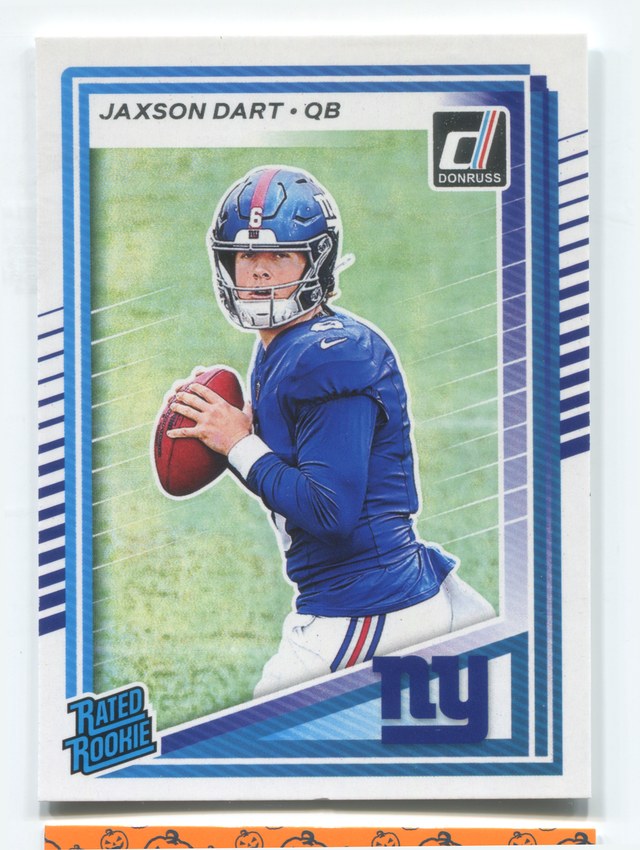
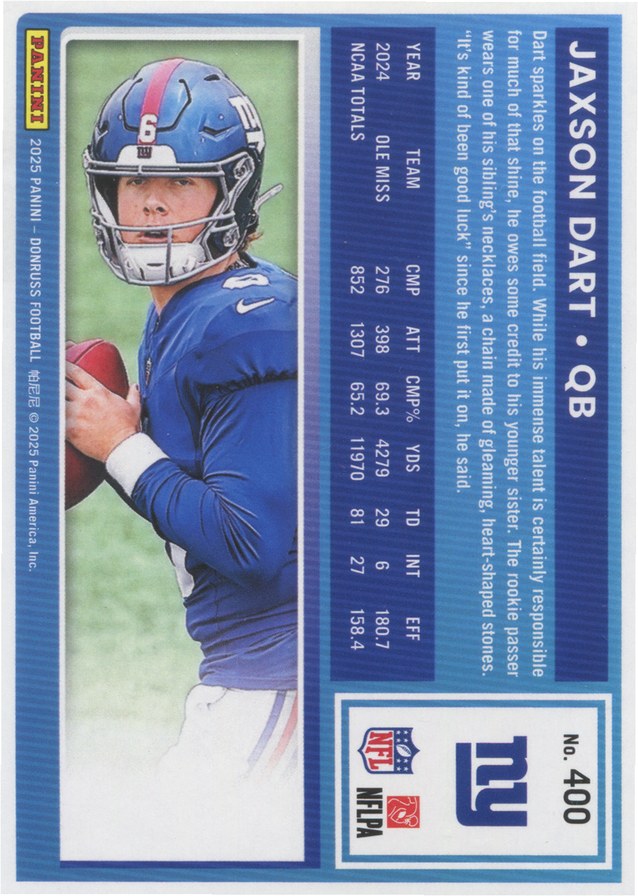
Front scan of Jaxson Dart #400 Back scan of Jaxson Dart #400
Sealed front and back scans
2025 Donruss Football Rated Rookie

Jaxson Dart #400

9AI Graded · MINT

  • Centering 9
  • Corners 10
  • Edges 10
  • Surface 10

Why this grade: The only deduction was centering, at 9. Corners, edges and surface scored 10.

Centering: graded against a reference design.

Certified in Coach P's Vault

Open the slab record
QR code for this slab's record Scan with your phone. It opens the same record as the slab’s own QR and NFC chip.

Own this card? You can request a transfer into your own HaloVault from its record. The current holder approves every transfer.

What’s graded

Four subgrades. One overall grade.

HaloSlab looks at both sides of the card the way an experienced grader does, and judges each one against how that card was designed.

Centering

Front and back, left-right and top-bottom, judged against the card’s own design: borders, inner frames, full-art and borderless cards.

Corners

All four corners on both sides: wear, rounding, dings and fraying.

Edges

Chipping, whitening, roughness and nicks along every edge.

Surface

Scratches, print lines, stains, dents, creases and loss of gloss.

Evidence, not vibes

Every lost point comes with a reason.

If HaloSlab marks a subgrade down, it names the flaw it found and where it is. If it can’t point to a flaw, it doesn’t take the point.

Example layout
Centering
Front slightly left-heavy; back within the card’s border tolerance.
Corners
Light whitening, back bottom-left corner.
Edges
No listed flaw.
Surface
No listed flaw.
How it works

Two photos to an AI grade.

No account needed to check your photos. Save the card for free to get the full grade.

  1. Photograph front and backPhone or scanner. Fill the frame, use even light, and keep every edge in view.
  2. Instant photo checkHaloSlab confirms both sides are clear enough to grade, and asks for a retake only when the card itself is hidden.
  3. Get your AI gradeSave the card to your free HaloVault account. You’ll get the overall grade, four subgrades with their evidence, the card’s value, and whether grading looks worth it.

Got a card you’re wondering about?

Grade it before you pay to send it away.

Grade a card — free